

Windows metod:
Download the IPTV Smarters app from this URL:
https://www.iptvsmarters.com/download?download=windows
MAC-metod:
Download the IPTV Smarters app from this URL:
How to set up IPTV on Fire TV Stick
1 From your device's home screen, go to the "Search..." option
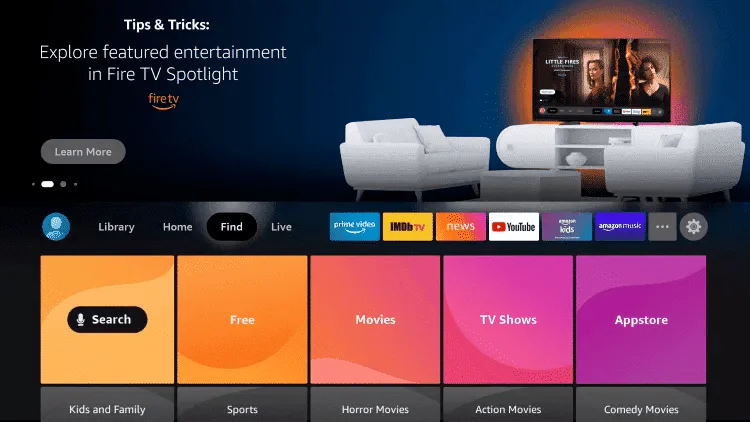
2.Click Search
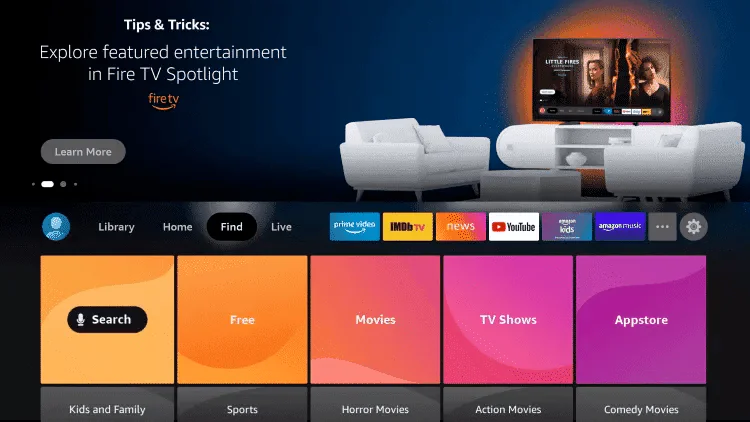
3.Search for and download Downloader
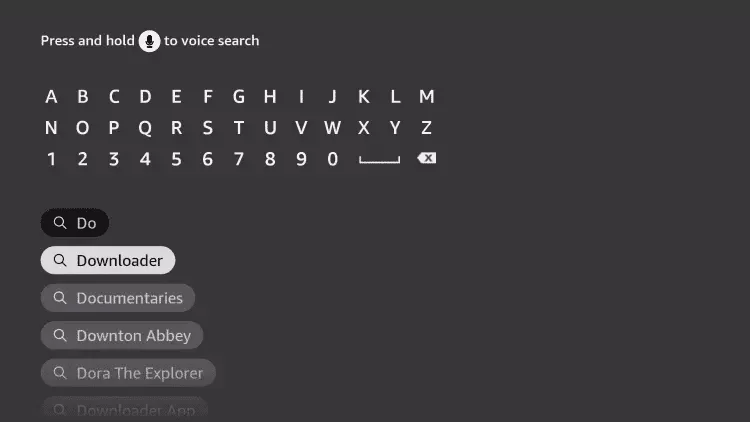
4.Select the Downloader app
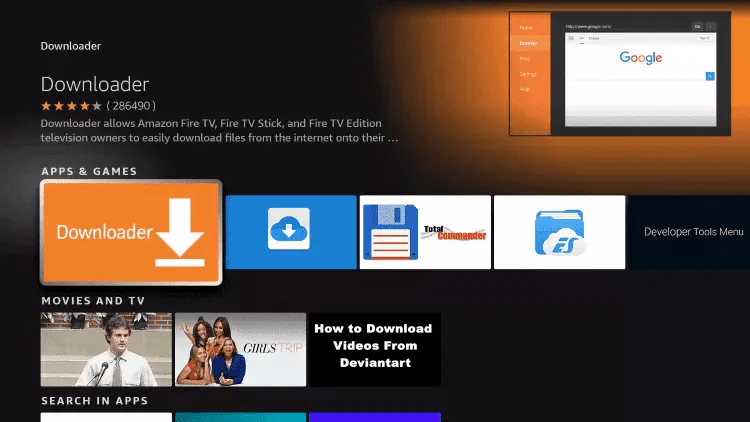
5.Click Download
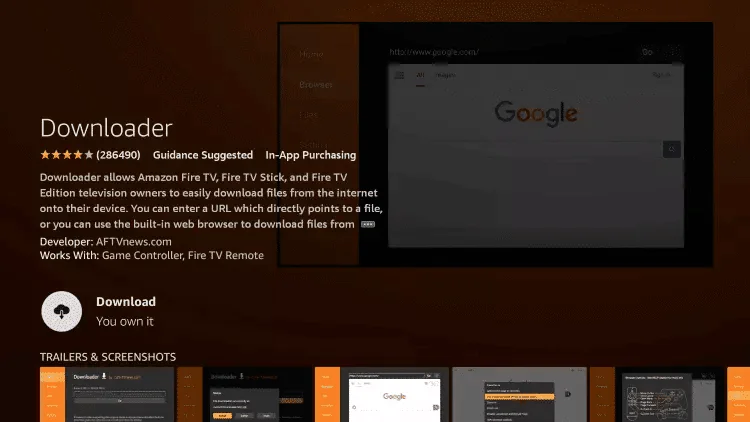
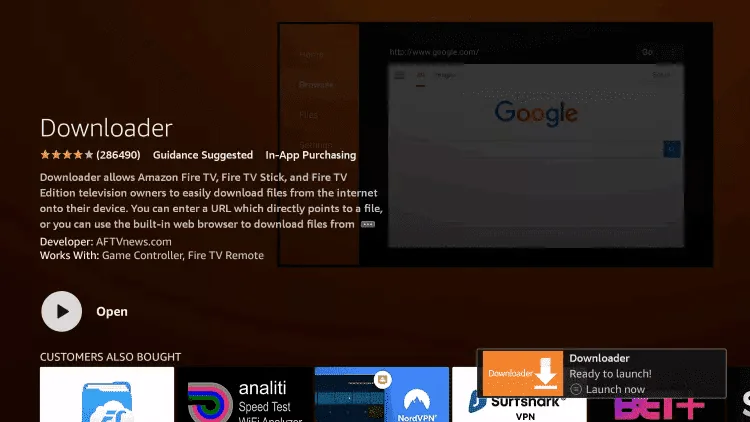
6.Once the app is installed, click Open
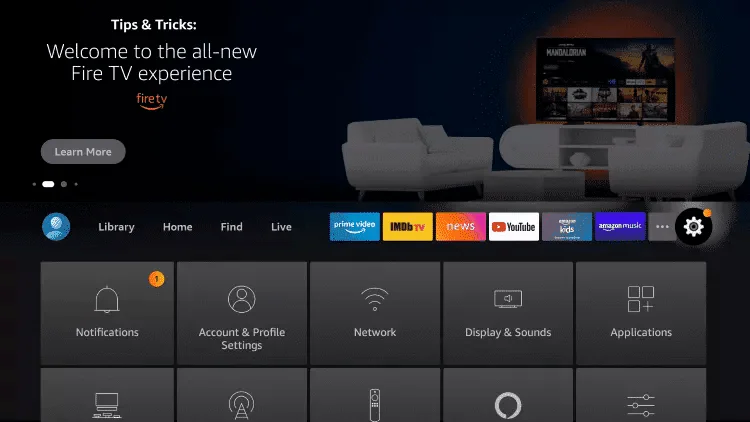
7.Return to the home screen and go to Settings
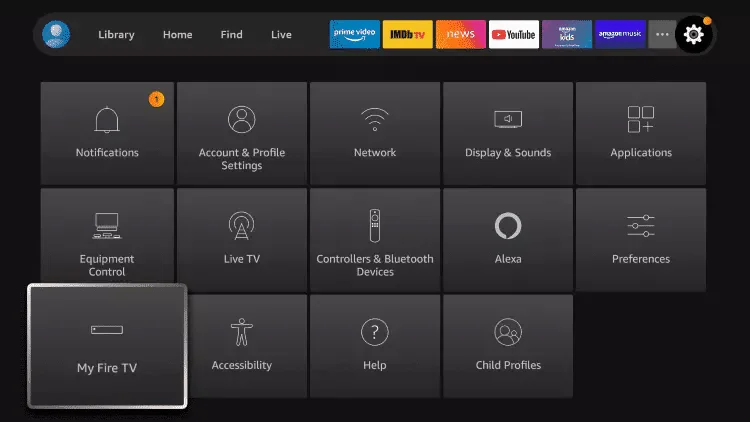
8.Click My Fire TV
9.Select Developer Options
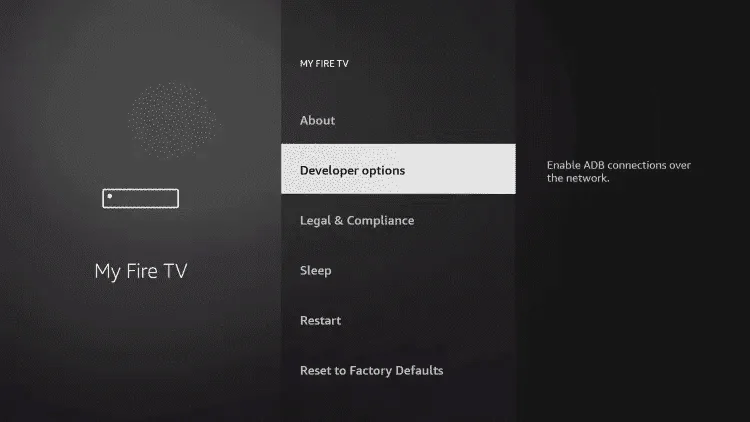
10.Click Install Unknown Apps
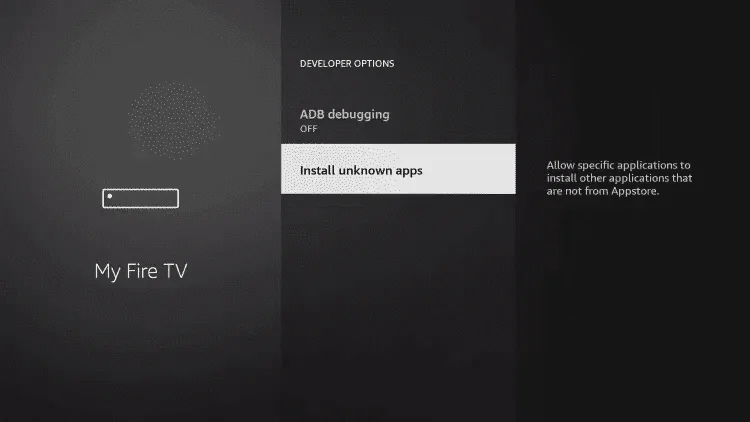
11.Select the Downloader app from there
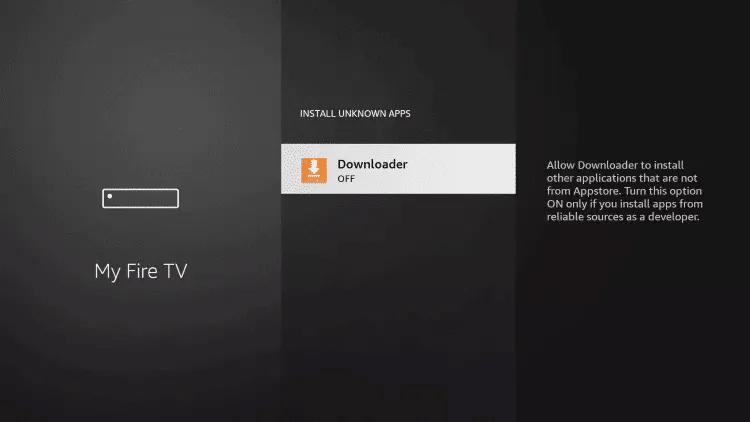
12.This recommended source address for the app allows installing third-party apps on your device.
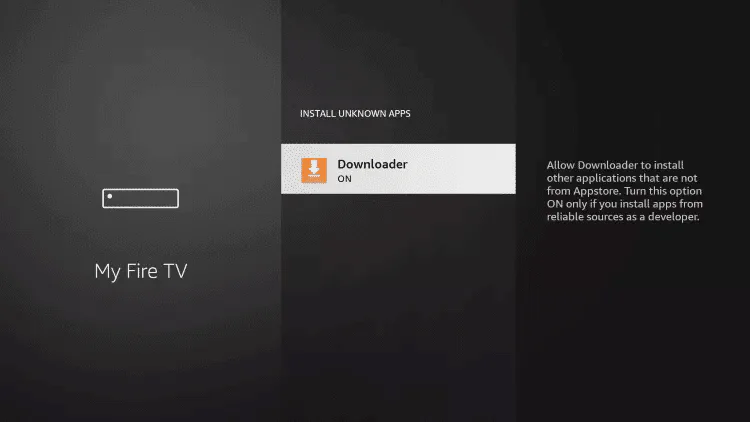
13.Start the download
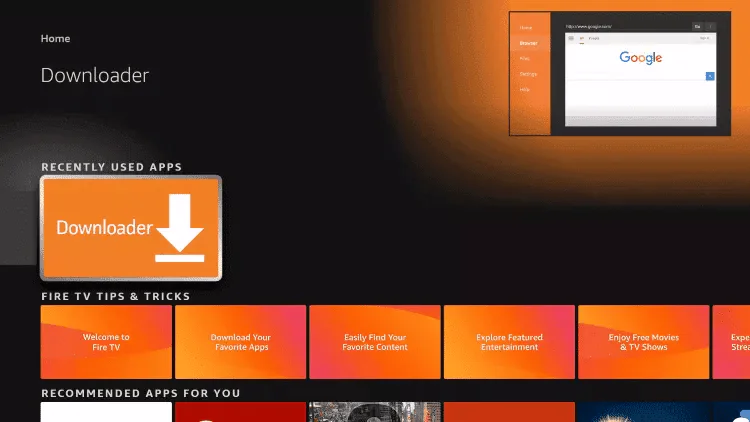
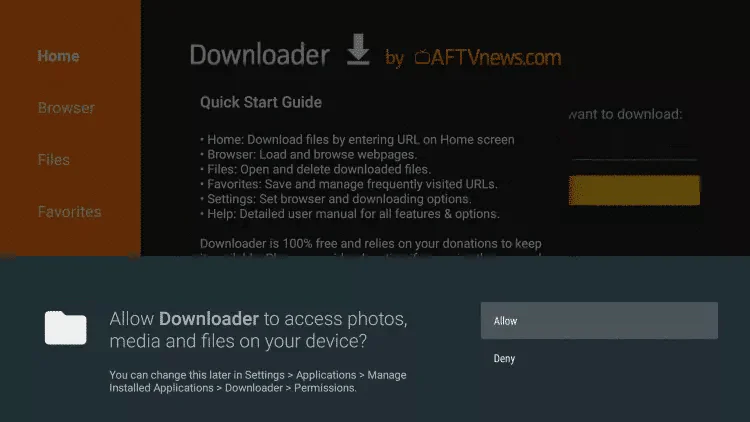
14. Click Allow
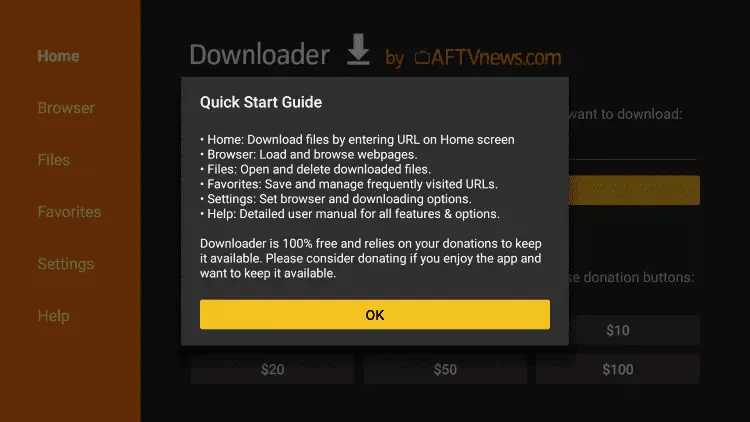
15. Click OK
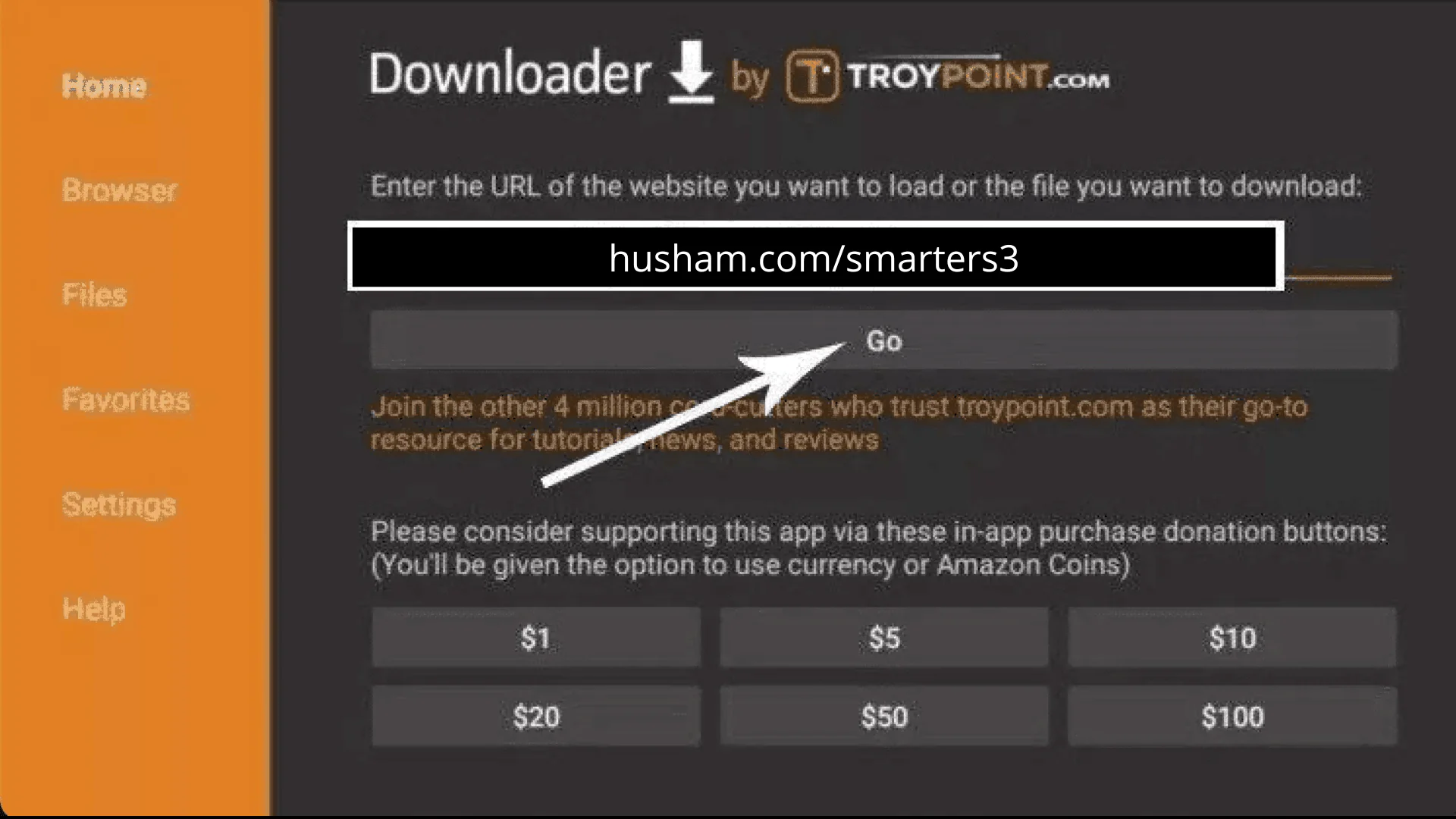
16. Enter the following URL exactly as shown here: https://www.iptvsmarters.com/smarters.apk
And click on "Go".
17. Wait for the file to download.
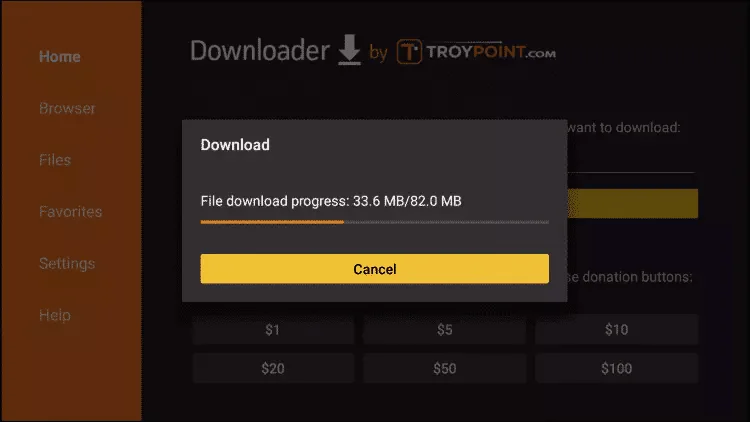
18. Click on Install.
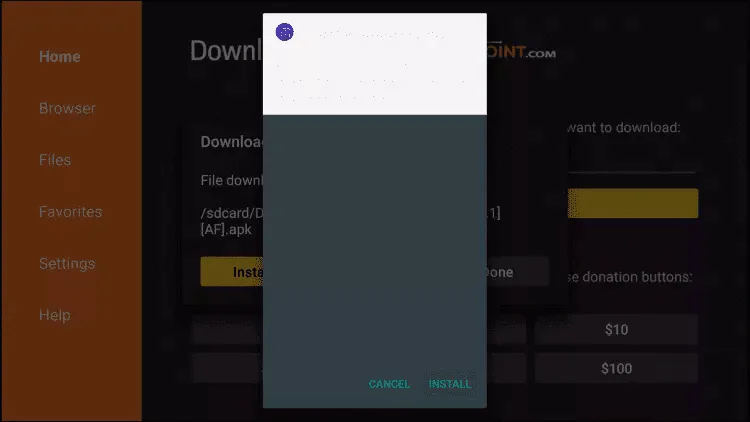
19. Click on Done.
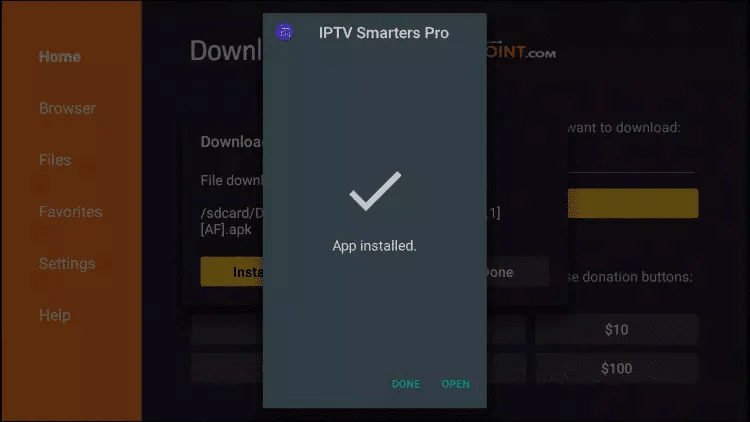
20. Open the IPTV Smarters application, then select Connect with Xtream API codes.
21.Enter the login details we sent you via WhatsApp, email or chat.
FOR TIVIMATE
1. Enter the following URL exactly as shown here: https://tivimates.com/tiviapk
And click on "Go".
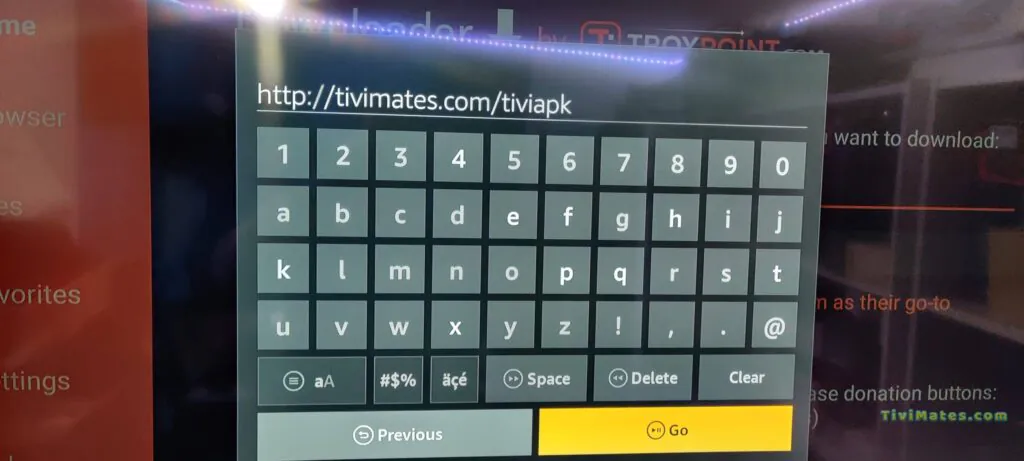
2. Wait for the file to download.
Wait until the file download is complete.
3. Click on Install and once the installation is complete, you can open the application.
4.Click on “Add a playlist” and then choose “Xtream Codes”.
5. Enter the login details we sent you via WhatsApp, email, or chat.
How to set up IPTV on Android with the IPTV Smarters Player app
Step 1 Start by downloading the IPTV Smarters app from this URL: https://www.iptvsmarters.com/smarters.apk
Step 2 : Open the app once downloaded and enter your login details.
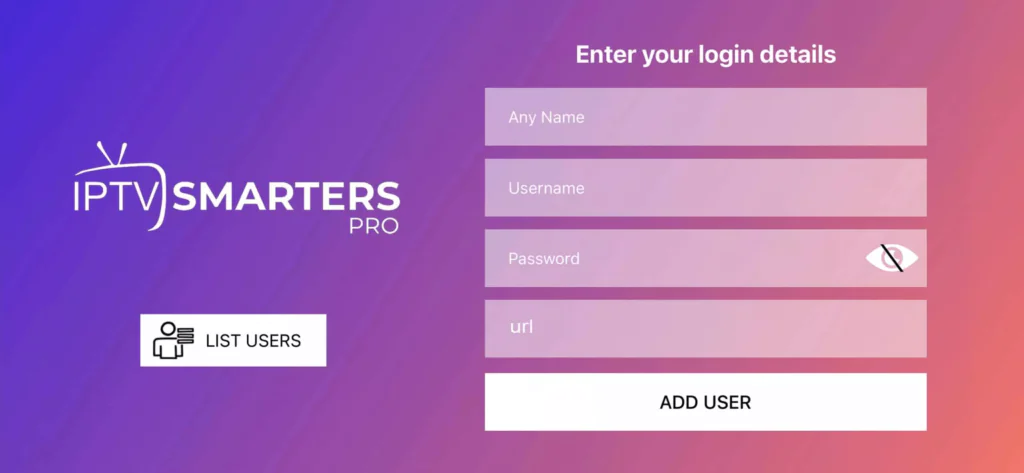
Step 3 : Enter the login details we provided after your subscription with us.
Now click "ADD USER" to move to the next step.
Step 4 : Wait a few seconds.
Step 5 : Now click the "Live TV" icon as shown in the image with a red arrow.
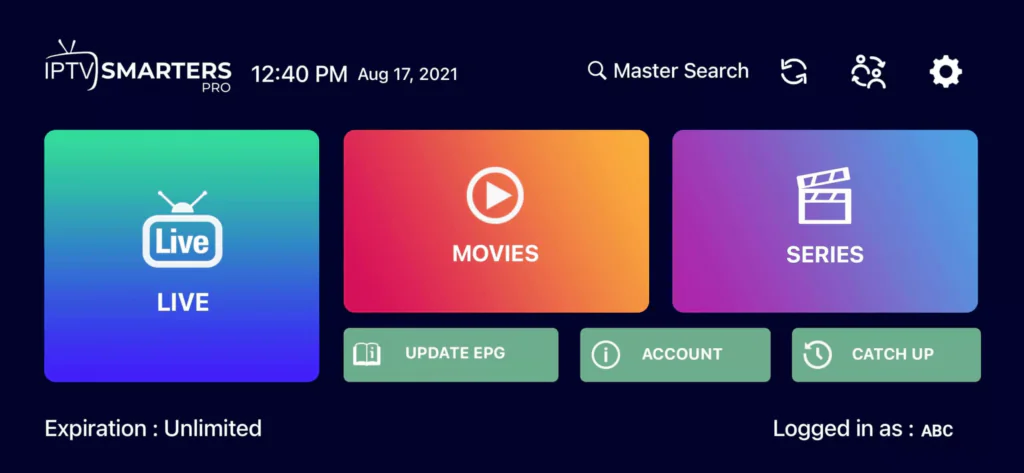
Step 6 : Now select the channel group you want to watch and move to the next section.
Step 7 Now, click on the channel name, then double-click on the small screen to switch to full-screen mode. That's the last step.
Done! That's it.
Here's how to set up IPTV on Apple/iOS with the IPTV Smarters Player app:
Step 1: Start by downloading the IPTV Smarters app from the App Store via this URL:
https://apps.apple.com/in/app/smarters-player-lite/id1628995509
Or you can search for it directly on the App Store.
Install the app on your iOS device.
Step 2: Open the app once downloaded and enter your login details.
Step 3: Enter the login details we provided after your subscription with us.
Now click "ADD USER" to move to the next step.
Step 4: Wait a few seconds.
Step 5: Now click the "Live TV" icon as shown in the image with a red arrow.
Step 6: Now select the channel group you want to watch and move to the next section.
Step 7: Now click the channel name, then double-click the small screen to go fullscreen. This is the last step.
Step 8: To add the programme guide (EPG), no URL is needed. Simply click "Install EPG".
Done!
Step 1: You can download SetIPTV / NetIPTV / IBO Player Pro / IBO Player from your TV's app store (Samsung, LG, etc.)
Step 2: After installation, open the application. You will find theMAC address displayed on the screen. With IBO Player Pro And IBO Playeryou will find both theMAC address and the Device key.
EX :
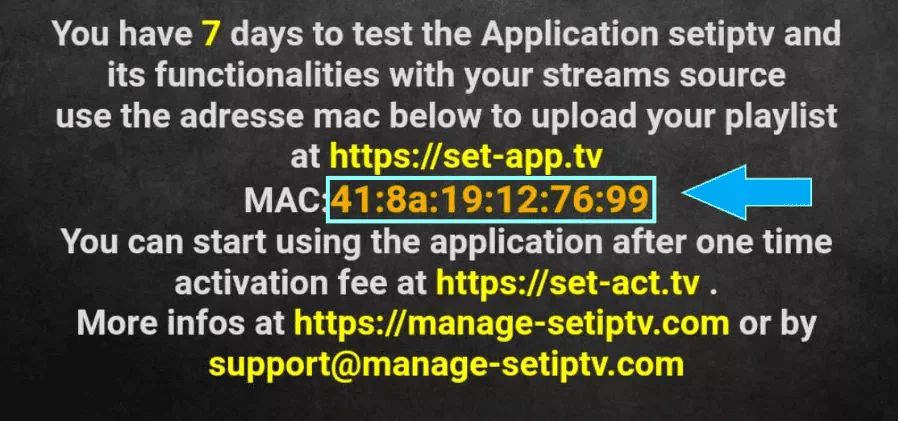
Step 3: Send us the MAC address via WhatsApp, email or live chat.
Step 4: After a few minutes, restart your television and reopen the application.
Done!
Here's how to install IPTV on Apple TV :
Installing the IPTV application
Open theApp Store on your Apple TV
Search for an IPTV app (like IPTV Smarters Or GSE Smart IPTV)
Download and install the chosen application
IPTV Setup
Launch the installed IPTV application
EnterURL M3U or the Xtream API codes provided by your IPTV service
Set up your channels and start watching
Note: The exact steps may vary slightly depending on the application chosen, but the process remains similar.
Step 1: Send us theMAC address of your MAG via WhatsApp, email or live chat.
Step 2: After receiving payment, we will send you the portal link.
 English
  Français